Microsoft Confirms Taskbar Dragging Feature Won't Return in Windows 11
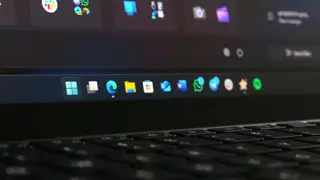
Microsoft has confirmed that users will never be able to drag the Taskbar to reposition it in Windows 11, citing design research that found accidental movements and infrequent user need for repositioning. The company argues that a right-click menu with a dedicated setting offers a more intentional and predictable experience. This decision marks a permanent departure from the drag-and-drop functionality available in Windows 10.
Microsoft has officially confirmed that Windows 11 will not include the ability to drag and reposition the Taskbar, a feature present in Windows 10 and earlier versions. This decision was communicated by Diego Baca, Microsoft’s Vice President of Design, in October 2026, emphasizing it as a deliberate design choice rather than a technical oversight. The company cited user research indicating that dragging the Taskbar often led to accidental movements, which had previously necessitated the “Lock the taskbar” option in prior Windows versions. Additionally, Microsoft found that users rarely changed the Taskbar’s position after initial setup, making the drag-and-drop functionality less essential. In Windows 11, repositioning now requires a right-click on the Taskbar, navigating to Settings via the context menu, and selecting a new location—described by Baca as a more intentional and predictable experience. This shift marks a permanent departure from Windows 10’s model, where users could unlock the Taskbar and freely drag it to any edge of the screen. The inability to resize the Taskbar by dragging its top edge in Windows 11 appears to stem from similar design reasoning.
The broader context reflects Microsoft’s ongoing effort to refine user experience through intentional design, moving away from legacy flexibility toward structured control. This aligns with earlier reports and insider discussions about Windows 11’s minimalist aesthetic and focus on reducing user errors. While some
This change could impact productivity workflows for power users and developers accustomed to rapid Taskbar repositioning during multitasking. While the shift may reduce accidental movements—benefiting casual users—it might frustrate those who value customization and speed. The move reflects a broader trend in tech design toward minimizing user error at the cost of flexibility, similar to Apple’s early decisions to restrict desktop customization in macOS. Such choices may influence expectations for future operating systems, where predictability is prioritized over configurability. The rise of third-party tools like “this free app” mentioned in the article suggests a persistent market demand for legacy functionality, potentially driving innovation in user interface extensions. What to watch for next is whether Microsoft revisits this decision based on long-term user feedback or if alternative platforms adopt more flexible models, creating competitive pressure.